7 Best Ping Pong Robots of 2026: App-Controlled, Budget and Pro Table Tennis Robots

By
Last updatedLast updated: August 28, 2026
Rec Room Pick is reader-supported. We may earn a commission through products purchased using links on this page. Learn more about our process here

Last updated: November 25, 2026. Specs were checked against the maker pages and Amazon listings, and prices, stock and ratings on Amazon, on this date. Recroompick earns a commission on qualifying purchases through the links on this page, at no extra cost to you.

Quick answer: Our top overall pick for 2026 is the PONGBOT Nova S Pro, an app- and remote-controlled robot for players who want programmable drills on a budget. PONGBOT lists 30 to 90 balls per minute, 9 spin variations, 264 preset drills and a 150-ball hopper. Owners rate it 4.3 out of 5 from 244 ratings and praise its customization and value; the main complaints are Bluetooth drops and some units that stop working. It cost about $300 when we checked on November 25, 2026 (check price on Amazon).

Alternatives: the Suz S201 for an included recycling net; the Butterfly Amicus Prime for advanced players (up to 120 balls per minute); the Practice Partner 20 for simple dials; the JOOLA iPong V300 for the lowest price; the Suz S101 for beginners; and the ZXMOTO HP-07 for spin variety. Rankings are our editorial judgment from specs and owner reviews.

  • Prices at our check ran from about $119 (JOOLA iPong V300) to about $2,000 (Butterfly Amicus Prime).
  • Among robots with a stated frequency, the top setting ranges from 70 balls per minute (iPong V300, Suz S101) to 120 balls per minute (Amicus Prime).
  • Only the Suz S201 ships with a recycling net and 200 balls; the other robots need a separate catch net or ball pickup.
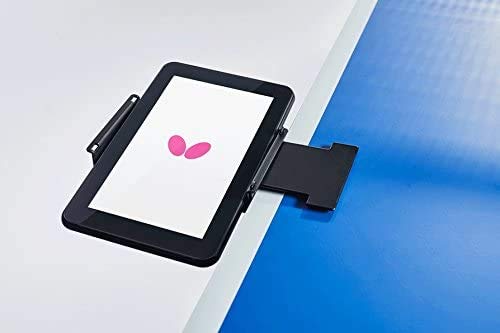
  • The PONGBOT Nova S Pro (264 drills) and Amicus Prime (21 pre-saved drills on the included tablet) are the two programmable robots here.
  • Butterfly lists a 3-year warranty on the Amicus Prime and a 1-year warranty on the Practice Partner 20.

How we chose these ping pong robots

We compared table tennis robots on sale now by ball frequency, ball speed, spin options, oscillation, drills and controls, ball capacity, what comes in the box, warranty and price, and read verified-purchase owner reviews and Amazon’s review summaries. Specs come from the PONGBOT, Butterfly and JOOLA pages listed under Sources, and from the Amazon and retailer listings; prices and stock were checked on the date above. Each claim is labelled as manufacturer specs, what owners say or our take. The score on each card is an editorial ranking, not a lab measurement: it weighs features and controls, owner ratings and review volume, and value for money.

Related guides: ping pong practice tips, how to spin a ping pong ball, ping pong balls for robots and practice, ping pong paddles and ping pong tables.
Key takeaways

1.

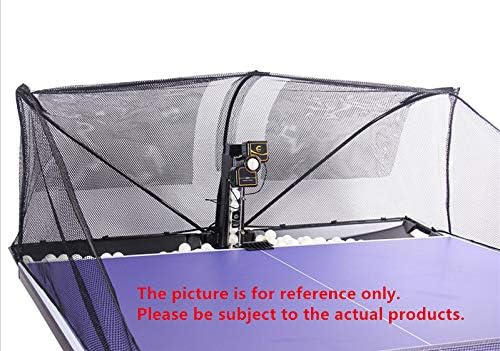
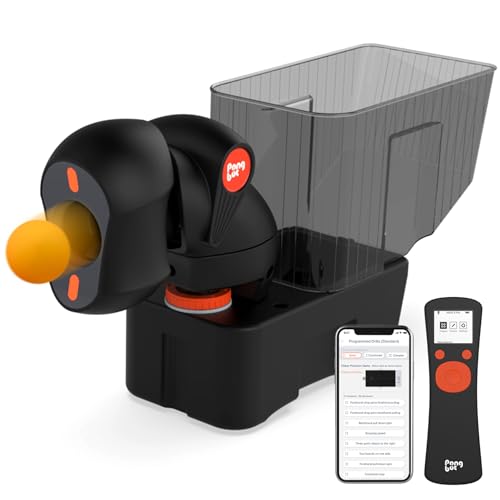
PONGBOT Nova S Pro Table Tennis Robot – Editor's Choice

Features
  • Ball frequency: 30-90 balls/min (11 levels)
  • Ball speed: 2-15 m/s
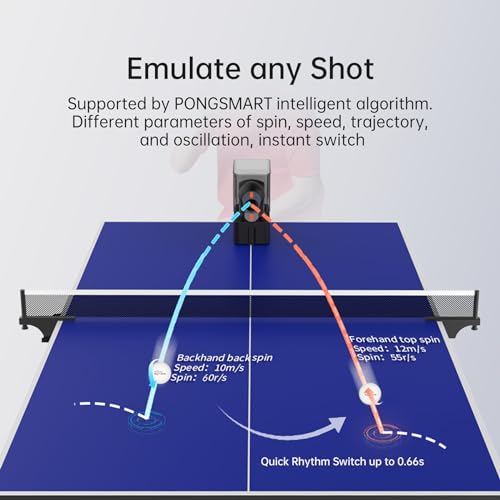
  • Spin: 9 variations, up to 60 r/s (21 levels)
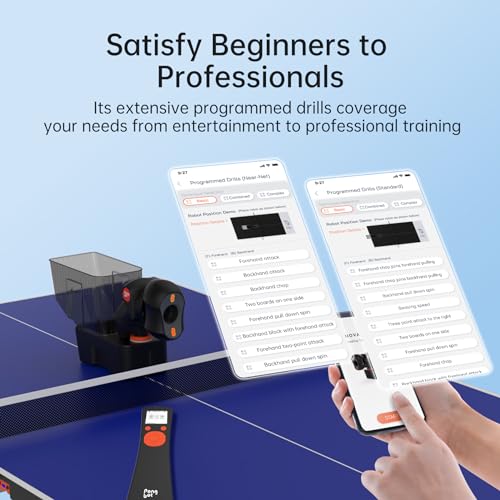
  • Drills: 264 preset + custom
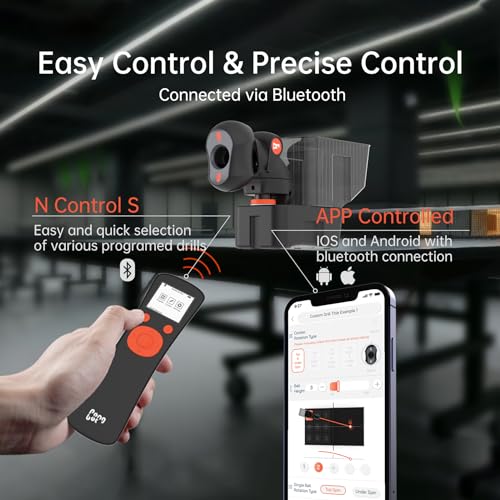
  • Control: Bluetooth app + remote
  • Ball capacity: 150 (balls not included)
  • Oscillation: manual left-right setting
  • Power: AC adapter, 100-240 V
  • Weight: 4 kg (8.8 lb)
  • Size: 465 x 325 x 176 mm
  • Amazon rating: 4.3 out of 5 (244 ratings, Nov 2026)

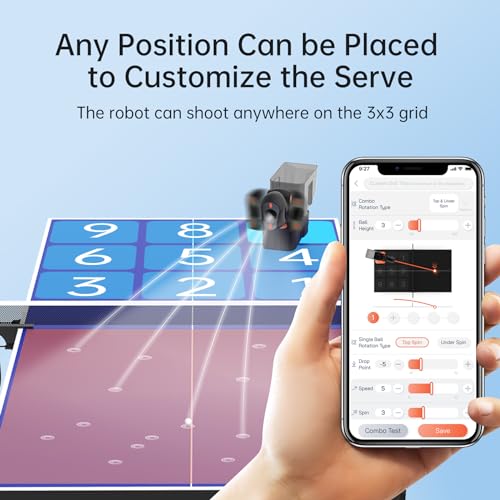
Manufacturer specs: PONGBOT lists the Nova S Pro at 30 to 90 balls per minute in 11 levels, 2 to 15 m/s ball speed, 9 spin variations with up to 60 revolutions per second in 21 levels, 264 preset drills, a 150-ball capacity, Bluetooth pairing, a 100-240 V adapter and a 4 kg net weight (PONGBOT spec page). Its spec table lists left-right oscillation as a manual setting. The Amazon listing adds a remote and says balls and the remote’s two AAA batteries are not included.

What owners say: the listing averages 4.3 out of 5 from 244 ratings. Amazon’s review summary says owners like its quality, find it suits both beginners and advanced players, and value its customization and price. Reliability feedback is mixed, with some units that stop working, some find setup challenging, and owners report frequent Bluetooth connection issues.
Our take: the most programmable robot here for the money. It cost about $300 at our check, with a coupon that brought it to about $260.

Who should skip it: players who want simple dials instead of an app, or a robot that comes with a net and balls.
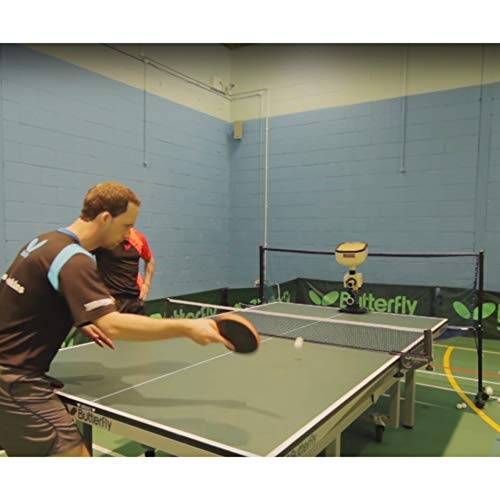
Why did it make our list?

  • 264 preset drills in the app
  • 9 spin variations
  • About $300

What is not ideal about it?

  • Bluetooth drops reported
  • Balls and net not included
2.
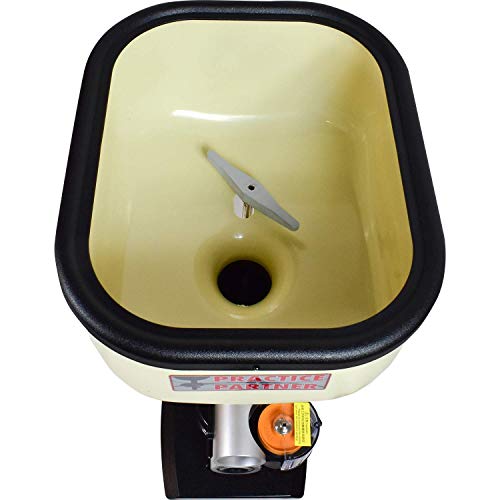
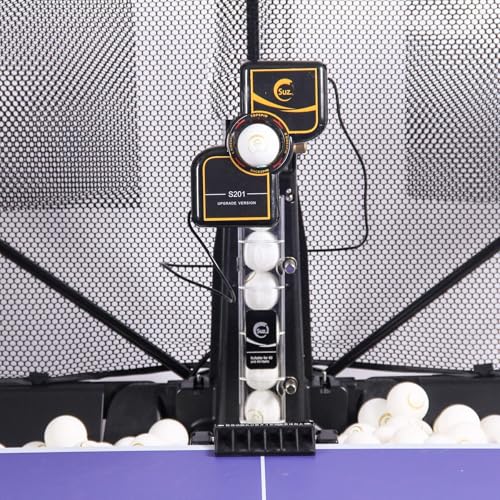
Suz S201 Table Tennis Robot with Recycling Net – Best with Recycling Net

Features
  • Ball frequency: 35-80 balls/min (retailer listings)
  • Ball speed: 4-40 m/s (retailer listings)
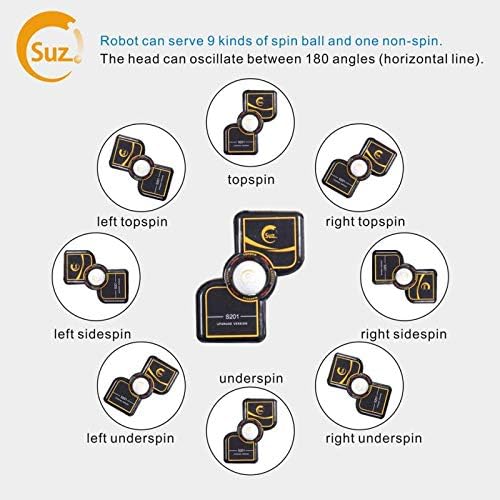
  • Spin: 9 types + no spin
  • Oscillation: head swings side to side
  • Includes: recycling net, 200 balls
  • Table fit: tops under 2.5 in thick
  • Power: 50 W, 100-240 V
  • Weight: about 9.8 kg (listings)
  • Amazon rating: 4.4 out of 5 (272 ratings, Nov 2026)

Manufacturer specs: retailer listings say the Suz S201 serves 9 kinds of spin plus a no-spin ball, with a head that oscillates side to side, and give 35 to 80 balls per minute, 4 to 40 m/s, 50 W and about 9.8 kg. The Amazon listing includes a recycling net and 200 balls, says it fits only tables under 2.5 inches thick, needs at least 20 balls below the feed tube, and that Suz supplies replacement parts for one year.

What owners say: the listing averages 4.4 out of 5 from 272 ratings, the highest here. Amazon’s review summary says owners find it works well for basic practice, is easy to set up and use, and is good value; one finds it useful for practicing returns of topspin and backspin serves. Feedback on its game features is mixed.

Our take: the only robot here that comes ready to play with a net and balls. It cost about $396 at our check.

Who should skip it: owners of thick-topped tables, and players who want app drills.

Why is it special?

  • Recycling net + 200 balls included
  • 4.4 out of 5 from 272 ratings
  • 9 spin types

What are the flaws?

  • Tables under 2.5 in only
  • No app or stored drills
Features
  • Ball frequency: 5-120 balls/min
  • Spin, speed, placement: vary ball to ball
  • Drills: 21 pre-saved + drill builder
  • Control: Android tablet app (Bluetooth) + remote
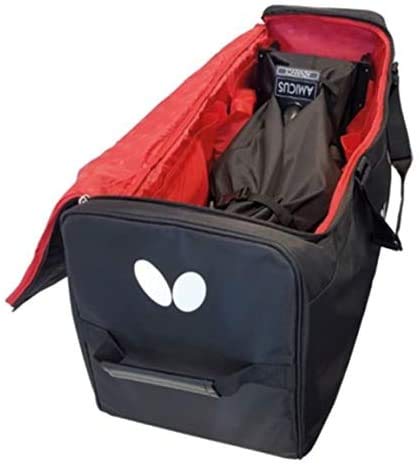
  • Includes: tablet, 120 Butterfly training balls, carrying bag
  • Warranty: 3 years (Butterfly)
  • Amazon rating: 4.0 out of 5 (57 ratings, Nov 2026)

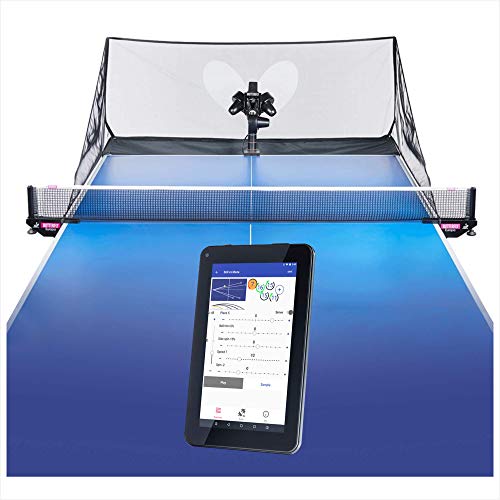
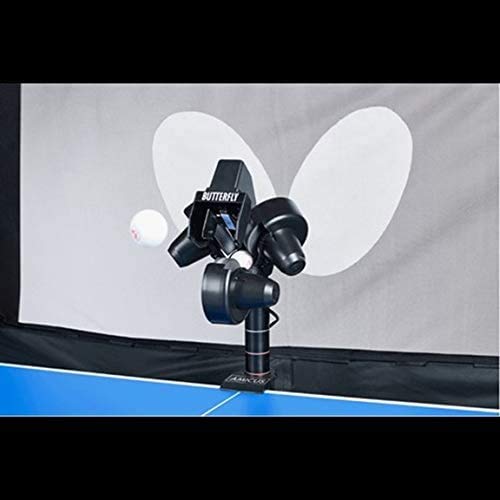
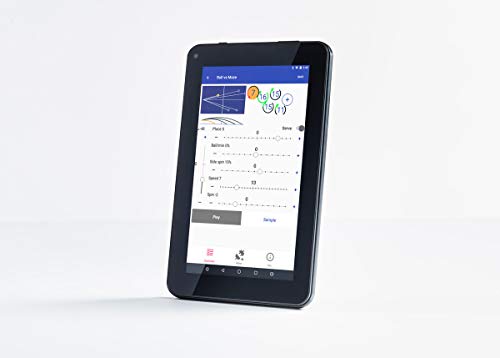
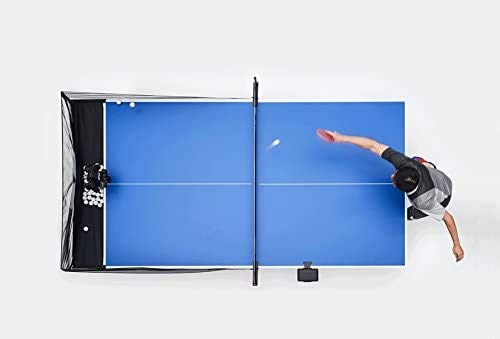
Manufacturer specs: Butterfly lists ball frequency up to 120 balls per minute, with spin, degree of spin, speed, trajectory and placement that can vary from ball to ball, plus a random mode. The Amicus Prime comes with an Android tablet holding 21 pre-saved drills, 120 Butterfly training balls, a carrying bag and a 3-year warranty (Butterfly product page). The Amazon listing adds Bluetooth control from the tablet app, drill sequencing, firmware updates and a remote.

What owners say: the listing averages 4.0 out of 5 from 57 ratings. Amazon’s review summary says owners find it excellent quality and consistent, without bad throws; opinions on value are split, with some finding it worth the cost and others not.

Our take: the pick for serious players who want match-like variation. It cost about $2,000 at our check.

Who should skip it: casual and beginner players; cheaper robots cover basic practice.

What makes it stand out?

  • Up to 120 balls per minute
  • Shots vary ball to ball
  • 3-year warranty

Which disadvantages must you keep in mind?

  • About $2,000
  • Value opinions split
Features
  • Ball frequency: 25-80 balls/min (settings 1-9)
  • Speed: settings 1-9
  • Spin: 8 types (top, under, side and combinations)
  • Oscillation: 1/4, 1/2, 3/4 or full table
  • Ball capacity: about 200
  • Control: remote
  • Power: 110/220 V supply
  • Weight: just under 10 lb
  • Warranty: 1 year (Butterfly)
  • Amazon rating: 4.3 out of 5 (73 ratings, Nov 2026)

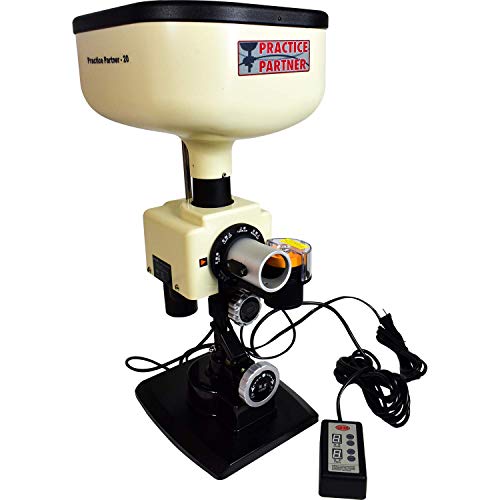
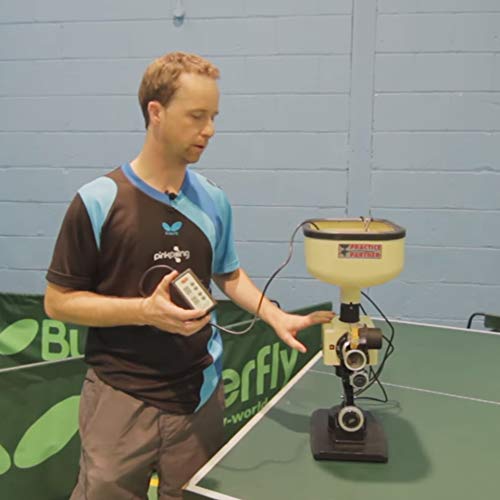
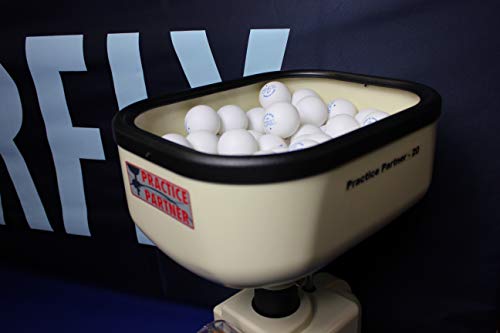
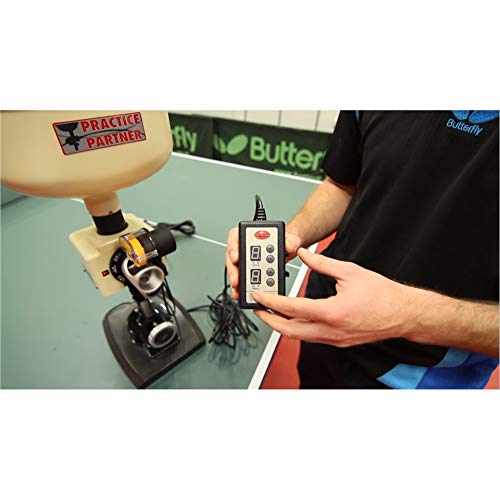
Manufacturer specs: Butterfly lists frequency settings 1 to 9 for 25 to 80 balls per minute, speed settings 1 to 9, 8 spin types from topspin to underspin with side combinations, oscillation over a quarter, half, three-quarter or full table, a hopper for about 200 balls, a remote, a 110/220 V power supply, a weight just under 10 lb and a 1-year warranty (Butterfly product page). The Amazon listing says it serves 2-bounce serves or 1-bounce returns and needs no tools to assemble.

What owners say: the listing averages 4.3 out of 5 from 73 ratings. Amazon’s review summary says owners find it a fantastic practice tool and good value; reliability feedback is mixed, and several owners find the spin too strong.

Our take: the pick for players who want to set dials and play. It cost about $500 at our check, with only 4 left on Amazon.

Who should skip it: players who want stored drills or app control.

What do we love it for?

  • 8 spin types
  • Adjustable oscillation width
  • About 200-ball hopper

What were we disappointed with?

  • Spin too strong for some
  • Low stock at our check
Features
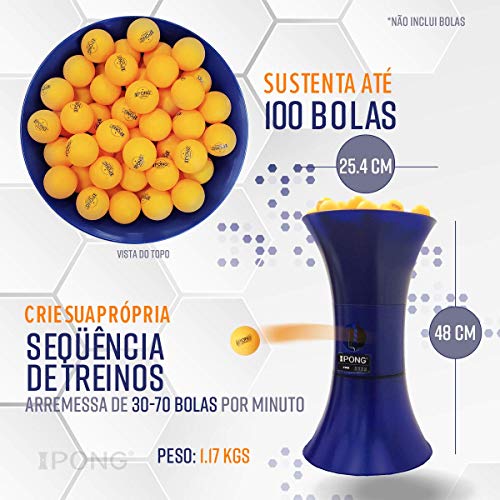
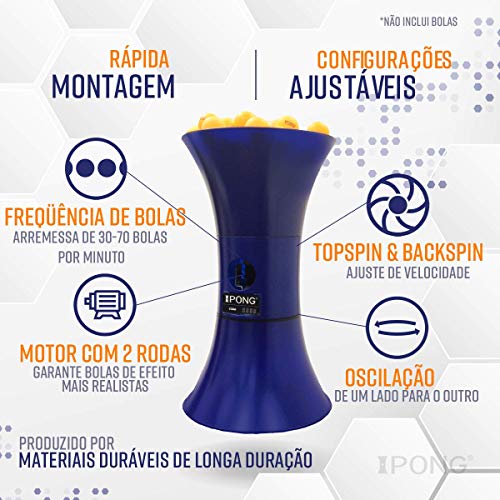
  • Ball frequency: 12-70 balls/min
  • Spin: topspin, backspin
  • Oscillation: side to side
  • Control: wireless remote with memory button
  • Ball capacity: up to 100
  • Size: 19 x 11 in
  • Weight: 2.5 lb
  • Power: A/C adapter
  • Amazon rating: 3.8 out of 5 (843 ratings, Nov 2026)

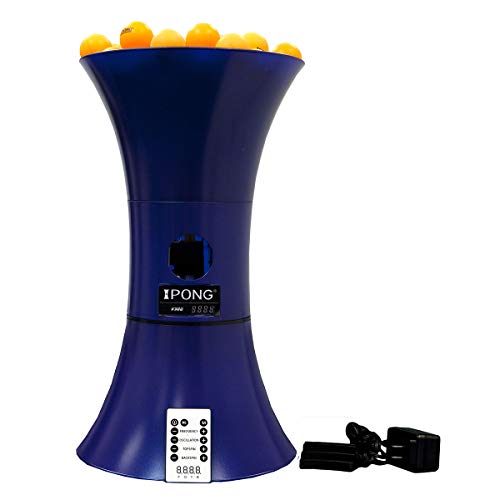
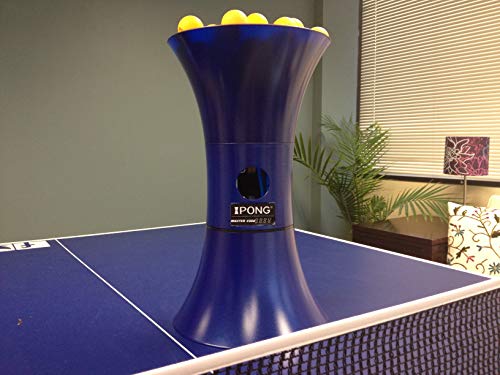
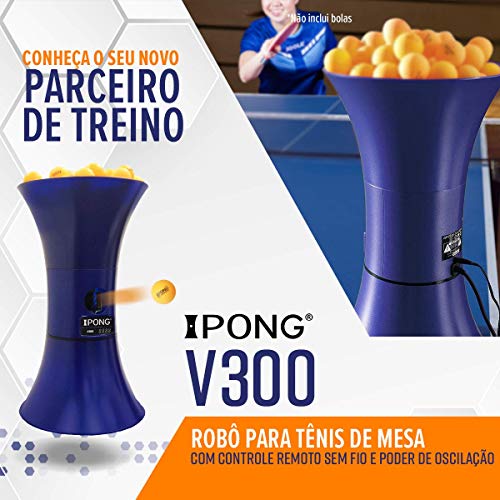
Manufacturer specs: JOOLA lists ball frequency from 12 to 70 balls per minute, side-to-side oscillation, adjustable ball speed, backspin or topspin, capacity for up to 100 balls, a 19 x 11-inch size, a 2.5 lb weight and an A/C adapter (JOOLA product page). The Amazon listing adds a wireless remote with a memory button.

What owners say: the listing averages 3.8 out of 5 from 843 ratings, the most reviewed here. Amazon’s review summary says owners find it easy to assemble and use and good value, kids love it, and it helps both new and skilled players; reliability is mixed, with some motors failing after a few months, and the oscillation gets mixed feedback.

Our take: the lowest-priced robot here with a wireless remote. It cost about $119 at our check.

Who should skip it: players who need sidespin or long-term reliability.

What are our favorite features?

  • About $119
  • Wireless remote
  • Starts at 12 balls per minute

What could be better?

  • Motor failures reported
  • Topspin and backspin only
6.

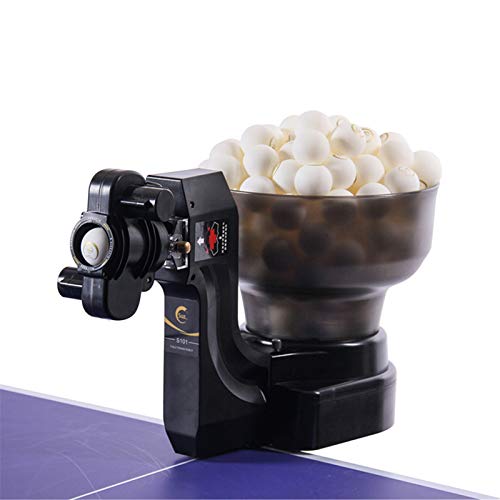
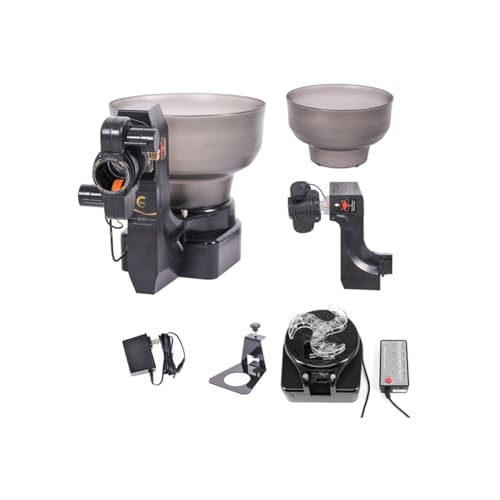
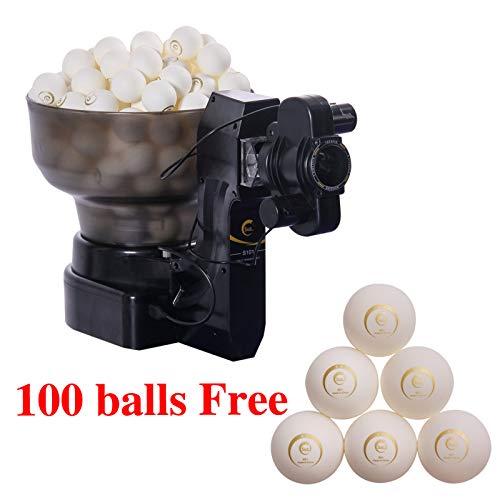
Suz S101 Table Tennis Robot with 100 Balls – Best for Beginners

Features
  • Ball frequency: 40-70 balls/min (retailer listings)
  • Ball speed: 3-30 m/s (retailer listings)
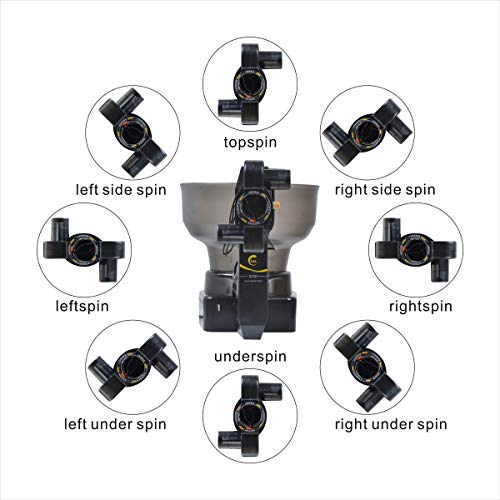
  • Spin: topspin, backspin, sidespin, no spin
  • Includes: 100 balls
  • Table fit: tops under 2.5 in thick
  • Power: 24 W, 100-240 V
  • Weight: about 4 kg (listings)
  • Amazon rating: 4.1 out of 5 (115 ratings, Nov 2026)

Manufacturer specs: retailer listings for the Suz S101 give 40 to 70 balls per minute, 3 to 30 m/s, topspin, backspin, sidespin or no spin, 24 W and about 4 kg; Suz says its robots fit tables under 2.5 inches thick. The Amazon listing includes 100 balls.

What owners say: the listing averages 4.1 out of 5 from 115 ratings. Amazon’s review summary says owners find it good for beginners and good value; reliability feedback is mixed, and one owner says the oscillation spreads too wide.

Our take: a beginner robot that comes with enough balls to start. It cost about $180 at our check.

Who should skip it: players who want a net or more than 70 balls per minute.

Why are we impressed?

  • 100 balls included
  • Four spin options
  • About $180

What negatives must you be aware of?

  • Reliability mixed
  • No catch net
7.

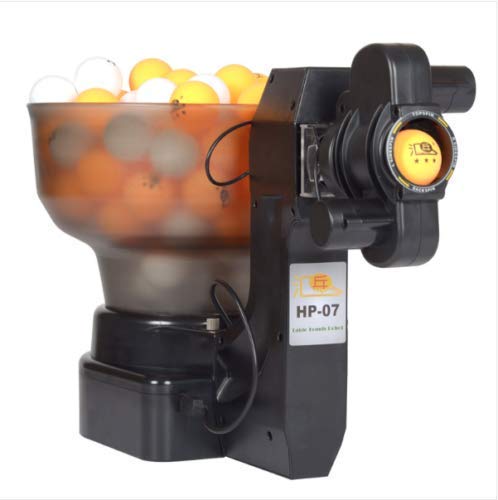
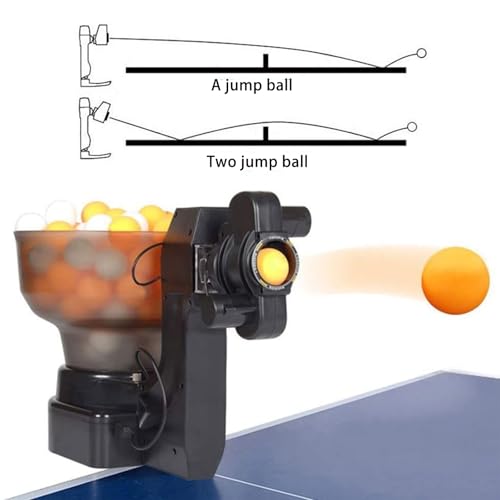
ZXMOTO HP-07 36-Spin Ping Pong Robot – Most Spin Settings

Features
  • Spin: 36 types via spin gears (listing)
  • Serve: double-ended or single
  • Ball capacity: about 110
  • Setup: no tools
  • Warranty: 1 year (listing)
  • Amazon rating: 4.1 out of 5 (186 ratings, Nov 2026)

Manufacturer specs: the ZXMOTO listing describes 36 kinds of spin set with different spin gears, topspin, backspin and sidespin combinations, a double-ended serve with an optional single serve, a ball container for about 110 balls, tool-free setup and a one-year warranty. It does not state a ball frequency.

What owners say: the listing averages 4.1 out of 5 from 186 ratings. Amazon’s review summary says owners find it excellent for training, easy to set up and good value, and like the adjustable angle, direction and speed; some report units that do not operate properly.

Our take: the most spin settings for under $200. It cost about $150 at our check, with only 5 left on Amazon.

Who should skip it: players who want a remote, a stated frequency or stored drills.

Why is it special?

  • 36 spin settings
  • About $150
  • 186 ratings

What are the flaws?

  • Some units faulty
  • Low stock at our check

Things to Consider

Ping pong robots compared

Robot Best for Balls per minute Spin Controls Balls / net Price (Nov 25)
PONGBOT Nova S Pro Overall (Editor’s Choice) 30-90 9 spin variations, 21 spin levels App + remote, 264 drills 150 balls (not included) about $300
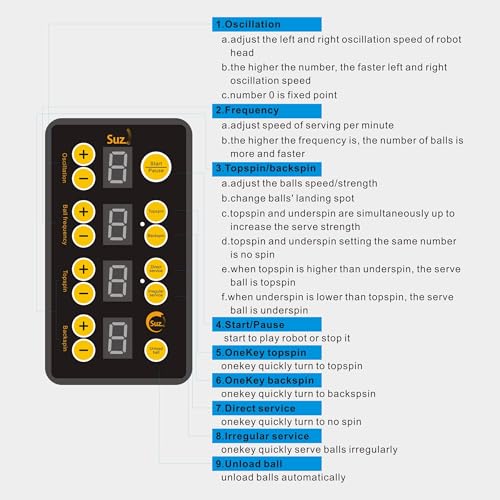
Suz S201 Recycling net included 35-80 9 spin types + no spin Control box Net + 200 balls included about $396
Butterfly Amicus Prime Advanced players 5-120 Varies ball to ball Android tablet app (21 drills) + remote 120 balls included about $2,000
Practice Partner 20 Simple dial controls 25-80 8 spin types Remote, 1-9 dials About 200-ball hopper about $500
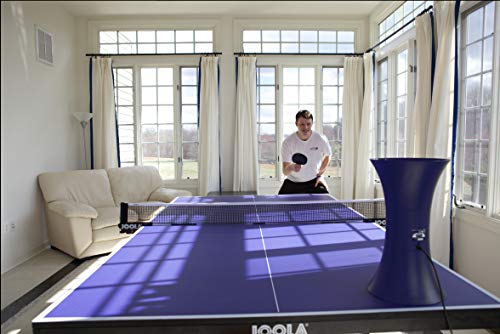
JOOLA iPong V300 Budget with wireless remote 12-70 Topspin, backspin Wireless remote Up to 100 balls about $119
Suz S101 Beginners on a budget 40-70 Top, back, side, no spin Control box 100 balls included about $180
ZXMOTO HP-07 Spin variety under $200 Not stated 36 spin types (gears) Manual settings About 110 balls about $150

Specs come from the PONGBOT, Butterfly and JOOLA pages listed under Sources; Suz and ZXMOTO figures come from their Amazon and retailer listings. Prices change often.

How to choose a ping pong robot

Ball frequency and speed

Frequency sets how fast the robot feeds you balls. Butterfly’s Amicus tutorial suggests about 40 to 50 balls per minute for beginners and 70 to 80 for more ball contacts. The JOOLA iPong V300 runs 12 to 70 balls per minute per JOOLA, the PONGBOT Nova S Pro 30 to 90 per PONGBOT, and the Butterfly Amicus Prime 5 to 120 per Butterfly. Our ping pong practice guide has drills for each level.

Spin options

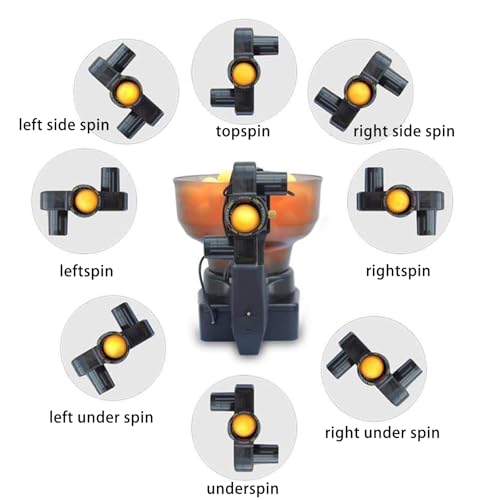
Robots that throw topspin, backspin and sidespin let you practice reading spin, which is hard to do alone. PONGBOT lists 9 spin variations for the PONGBOT Nova S Pro, Butterfly lists 8 spin types for the Practice Partner 20, and the ZXMOTO HP-07 listing describes 36 spin types set with spin gears. Budget robots such as the JOOLA iPong V300 offer topspin and backspin only. See how to spin a ping pong ball for what each spin does.

Controls and drills

App-controlled robots store drills that change placement, spin and speed from ball to ball. The PONGBOT Nova S Pro has 264 preset drills in its app, and the Butterfly Amicus Prime comes with an Android tablet holding 21 pre-saved drills plus a drill builder. Dial-controlled robots such as the Practice Partner 20 are simpler: set frequency, speed, spin and oscillation and play.

Ball capacity and catch nets

A robot is only as useful as the number of balls it holds and how quickly you can collect them. The Suz S201 includes a recycling net that funnels balls back to the robot, so you stop less often to pick up balls. Other robots need a separate catch net or a ball pickup; plan on 100 or more 40 mm balls. Our ping pong balls guide covers training balls.

Oscillation and placement

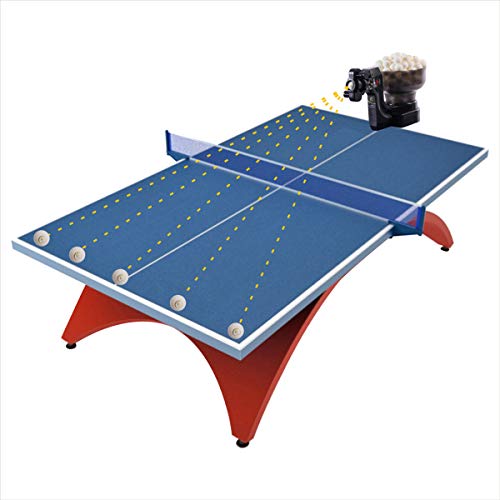
Oscillation moves the robot head side to side so you practice footwork. Butterfly lists quarter, half, three-quarter and full-table oscillation for the Practice Partner 20, and JOOLA lists side-to-side oscillation for the JOOLA iPong V300. PONGBOT’s spec table lists left-right oscillation on the PONGBOT Nova S Pro as a manual setting, with landing points set in the app.

Table fit and warranty

Suz says the Suz S201 and Suz S101 fit only tables less than 2.5 inches thick. Butterfly lists a 3-year warranty on the Butterfly Amicus Prime and 1 year on the Practice Partner 20; the ZXMOTO listing states one year. Check the table edge before buying a clamp-on robot; our ping pong table dimensions guide covers standard table sizes.

Sources

FAQ

Our pick is the PONGBOT Nova S Pro (about $300): app and remote control, 264 preset drills, 9 spin variations and 30 to 90 balls per minute per PONGBOT. It averages 4.3 out of 5 from 244 Amazon ratings. Advanced players with a bigger budget can look at the Butterfly Amicus Prime.

Yes, for players who practice alone. The robots here feed 12 to 120 balls per minute depending on the model, so you can repeat one stroke without a partner. Owners of the JOOLA iPong V300 and Suz S201 say they work well for basic practice; budget models get mixed reliability reviews.

A catch net saves most of the time spent picking up balls. The Suz S201 ships with a recycling net that feeds balls back to the robot. The PONGBOT Nova S Pro, JOOLA iPong V300 and others need a separate catch net or a ball pickup.

Plan on at least 100 balls. The PONGBOT Nova S Pro hopper holds 150 balls, the JOOLA iPong V300 up to 100, and Suz says the Suz S201 needs at least 20 balls below its feed tube; it comes with 200. Use 40 mm balls.

Yes. Start at a low frequency and no spin. The JOOLA iPong V300 goes down to 12 balls per minute, and Amazon’s review summary for the Suz S101 says owners find it good for beginners. App robots like the PONGBOT Nova S Pro have beginner drills too.

The Suz S201 comes with a recycling net and 200 balls and lists 35 to 80 balls per minute with 9 spin types. The Suz S101 has no net, includes 100 balls and lists 40 to 70 balls per minute. Both fit tables under 2.5 inches thick.

Wrapping It Up

The PONGBOT Nova S Pro is our Editor’s Choice: an app-controlled robot with 264 preset drills, 9 spin variations and up to 90 balls per minute for about $300. The Suz S201 adds a recycling net and 200 balls for about $396, and the Butterfly Amicus Prime is the advanced pick at about $2,000, with up to 120 balls per minute, a drill tablet and a 3-year warranty.

For simple dial controls, the Practice Partner 20 costs about $500. On a budget, the JOOLA iPong V300 (about $119) has a wireless remote, the Suz S101 (about $180) includes 100 balls, and the ZXMOTO HP-07 (about $150) offers the most spin settings under $200.

Also see our guides to ping pong tables, ping pong tables under $300, ping pong paddles, ping pong balls, ping pong practice and this week’s Black Friday game room deals.


Leave a Reply

Your email address will not be published. Required fields are marked *